Getting Started
Follow the steps below to set up your account.
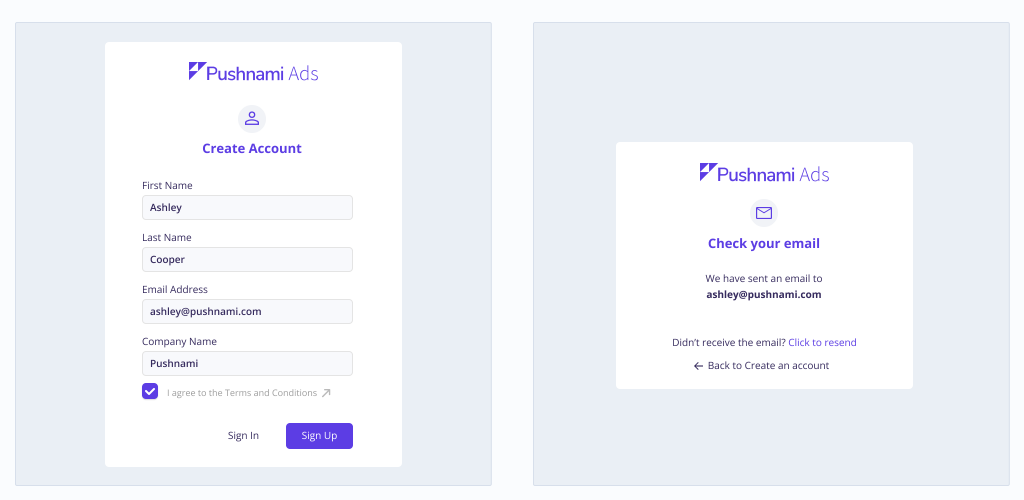
Create account
- Complete the new account creation form.
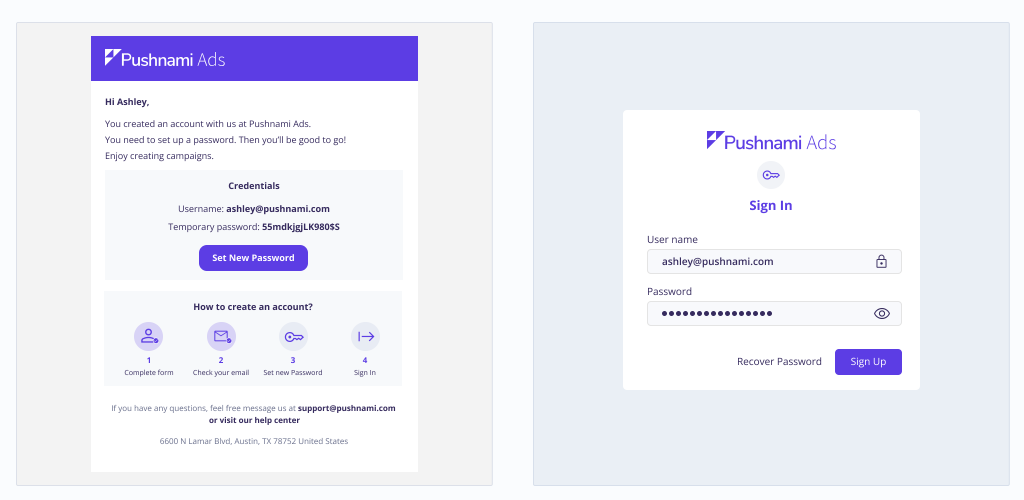
Validate credentials
- Check your email to authenticate your account.
- Copy and paste your username and temporary password on the Sign In page. Once it has been validated you can create a new password.
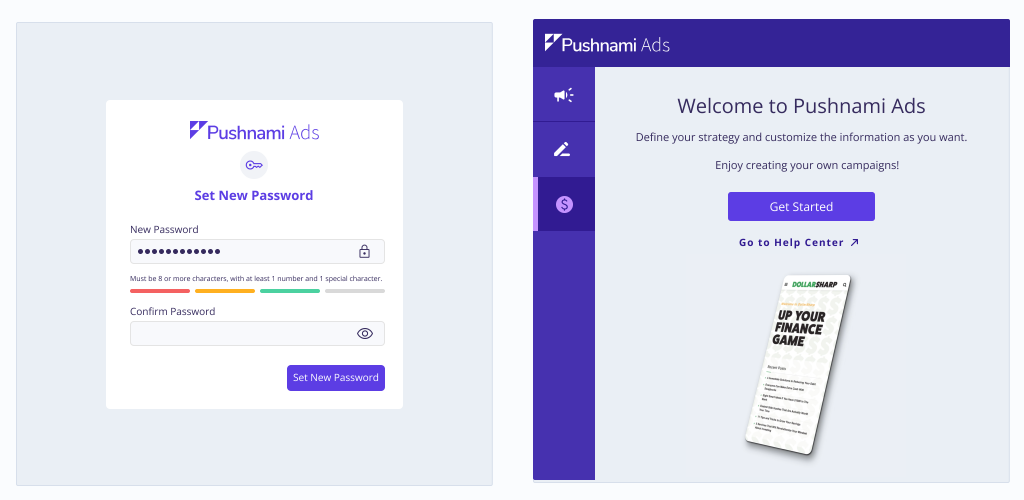
Create password
- Create a new access password. This must have eight or more characters, with at least 1 number and one special character.
- Log in using your new credentials.
Next Steps
Once your account is set up, explore these resources:
- Billing - Add funds and manage payment methods
- Analytics Dashboard - Track your campaign performance
- Alerts - Understand system notifications and alerts