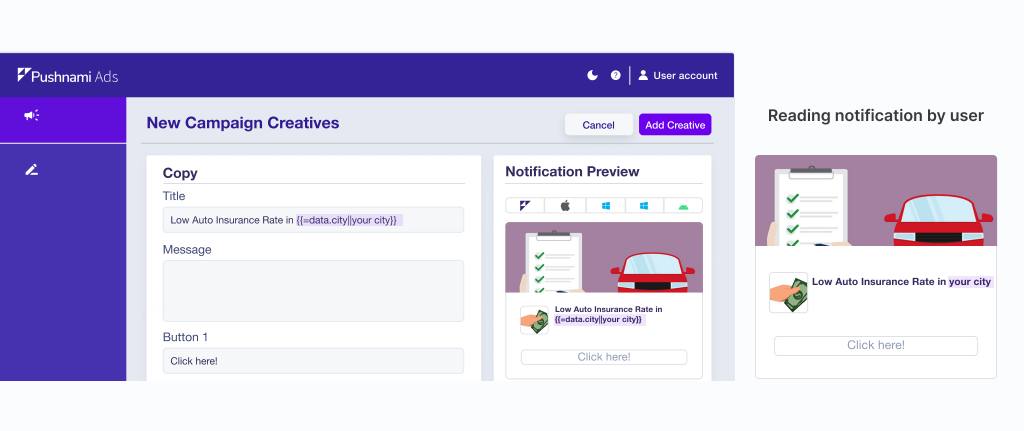
Dynamic Variables for Creatives
Adding variables to your creative's titles and messages lets you personalize data.
Pushnami offers the following variables to create dynamic text.
Date/Time
| Variable | Syntax | Example |
|---|---|---|
| Date | {{#def.date()}} | Shows actual date Example: Aug 2 |
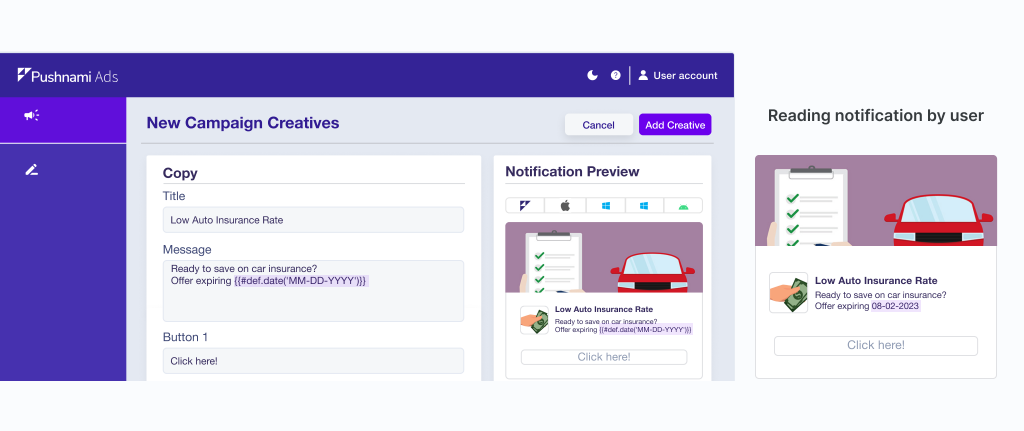
| Date | {{#def.date('MM-DD-YYYY')}} | Shows the current day of the month Example: 08-02-2023 |
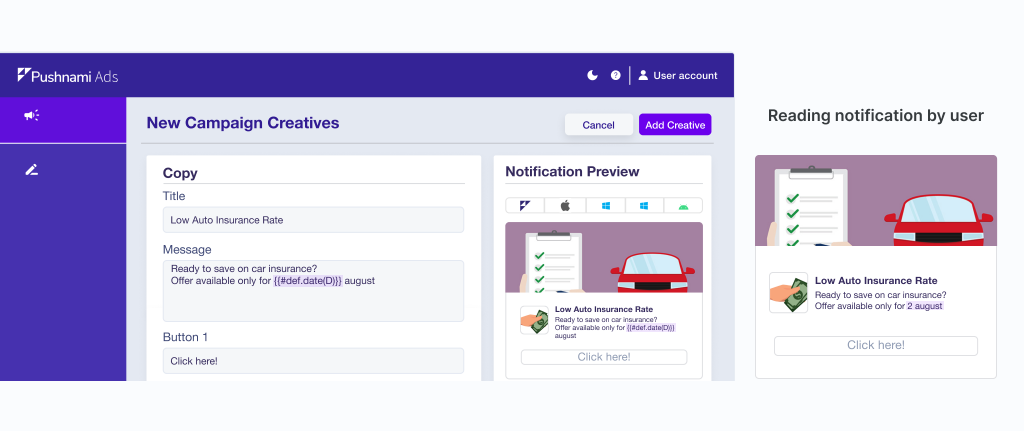
| Date | {{#def.date('D')}} for day of the month | Shows the current day of the month Example: 2 |
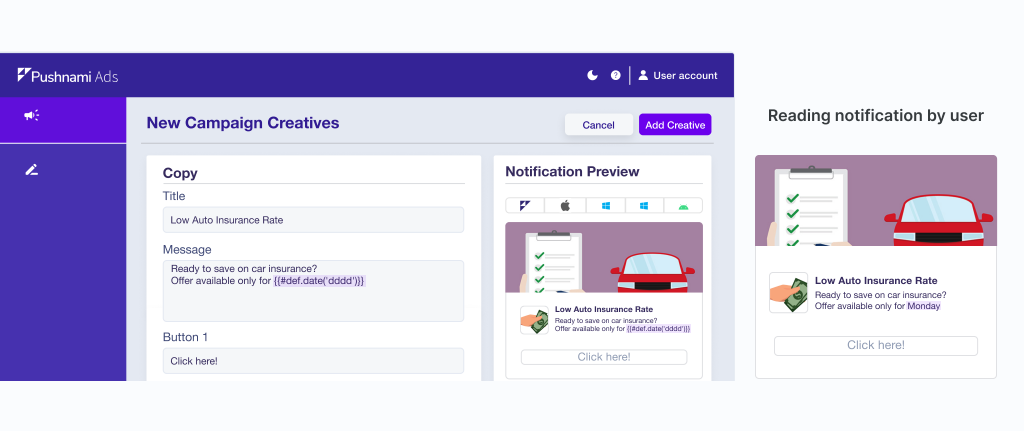
| Day | {{#def.date('dddd')}} | Shows the current day on the week Example: Monday |
| Month | {{#def.date('MMMM')}} | Shows the current month Example: August |
| Year | {{#def.date('YYYY')}} | Shows the current year Example: 2023 |
| Time | {{#def.date("hh:mm")}} | Shows the current time Example: 03:17 |
Location
| Variable | Syntax | Example |
|---|---|---|
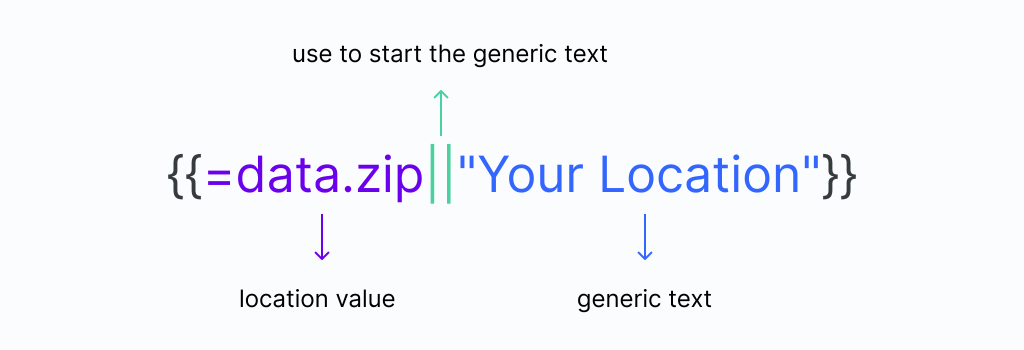
| ZIP | {{=data.zip||data.dzip}} | {{=data.zip||data.dzip||"Your Location"}} |
| City | {{=data.city||data.dcity}} | {{=data.city||data.dcity||"Your City"}} |
| City or your area | {{=data.dcity||'Your Area'}} | {{=data.dcity||'Your Area'}} |
| State | {{=data.dstate}} | {{=data.dstate||"Your State"}} |
You can include a generic text if the subscriber ID does not have a location value.
Devices
| Variable | Syntax | Example |
|---|---|---|
| Device | {{=data.ddevice}} | Show the device who you receive the notification Example: Desktop |
Examples
Add variable in title
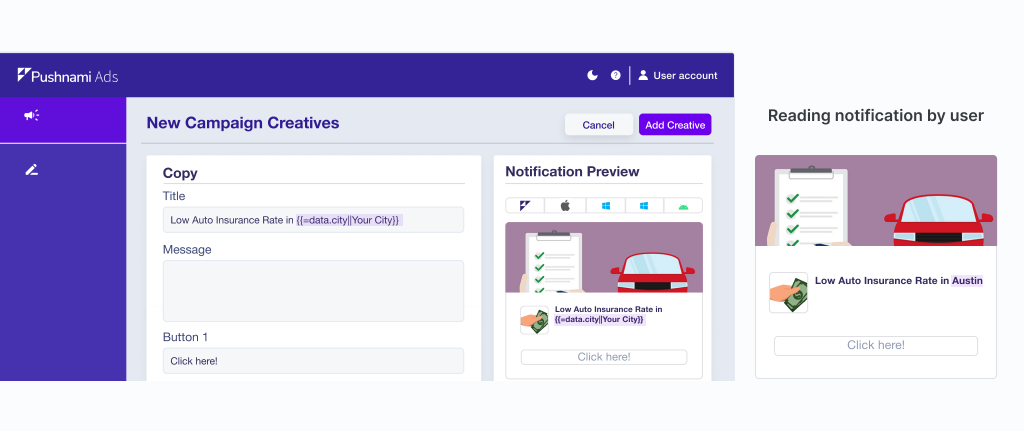
Add variable in message - Date - current day
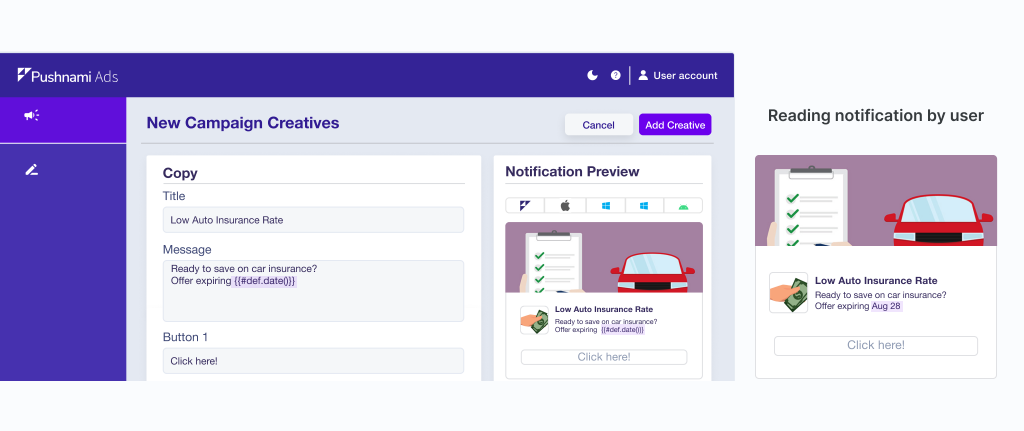
Add variable in message - Date - MM-DD-YYYY
Add variable in message - Date - for day of the month
Add variable in message - Day - (Monday-Sunday)
No variable recognition